


Mansfield News Journal
3.341.00 Reviews
App Specs
- Version
- 8.10.3
- Updated On
- License
- Free
- Downloads
- 10,000+
- Developer
- USA TODAY Co.
- Categories
- News & Magazines
- Platform
- Android
Screenshots




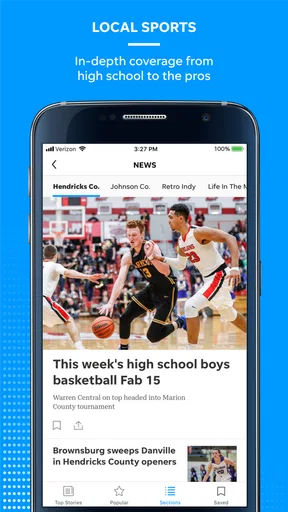


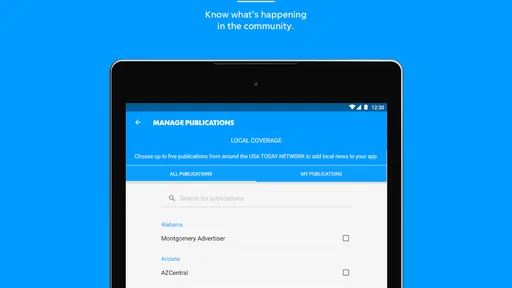
 Analysis by AppCompare
I found Mansfield News Journal most useful as a focused news reader for people who want local coverage without giving up access to wider stories. It is an Android news and magazines app from USA TODAY Co., centered on Mansfield news while also bringing in national reporting, photography, and video. After spending time with it, my impression is straightforward: it works best as a shared household source for keeping up with the area, but it is less convincing as the only news app on a phone.
The app is free to install, which makes trying it easy, although in-app purchases range from around ten dollars to around seventy dollars per item. That difference matters when deciding whether it belongs on a family tablet, a personal phone, or a device used by several people. I would treat the free installation as an opportunity to inspect the reading experience first, rather than assuming every part of the service will remain equally open.
How it fits into a shared household routine
I find a shared device works best when the household agrees on a simple routine: one person can flag a story worth discussing, while each reader checks the article or video for themselves rather than relying on a headline passed along. That keeps the app useful across different schedules and reading preferences, and it makes the next conversation about the news more grounded.
A practical local-news stop for several people
On a shared device, the strongest reason to use this app is that different members of a household can open it for the same basic purpose: checking what is happening around Mansfield and then moving on to broader coverage. One person might look at local developments over breakfast, another might watch a video later, and someone else might browse photographs during a quiet moment. That makes it more useful than a general national-news feed when the household wants a common local reference point.
I can imagine it sitting on a kitchen tablet or an older phone that stays in a common area. A parent could check local updates before leaving for work, while another adult could use the same device later to catch up on a developing story. The arrangement is simple, but it has an important limitation: a shared device is not the same thing as a shared account. I would avoid treating one person’s sign-in, saved access, or purchase decision as automatically belonging to everyone else.
That distinction is especially important because the app includes paid items. If several people use the same device, I would decide in advance who is allowed to approve a purchase and who should only read the freely available material. Even without inventing special family controls, a household can create a clear rule: no one buys access from the shared device without asking first. That small boundary prevents an awkward conversation later.
What the local focus changes
Many news apps begin with a broad national or international feed and leave local reporting buried behind menus. This one feels more purposeful for Mansfield readers. The local emphasis gives it a reason to remain installed even if someone already uses a large national news app for politics, business, or breaking events. I would not expect it to replace every source, but I would use it as the household’s local checkpoint.
Worth Reading Before You Choose

EA SPORTS FC Mobile 26 Is a Bigger Football Game, but It Takes Time

Flipboard Shows What News Apps Must Do Beyond the Feed

Switching to Android Auto Means Rethinking Your Driving Routine

Google Calendar Makes a Crowded Week Easier to Manage

Ludo King Makes the Most of the Minutes Between Plans

Baby Panda World Brings Quick Play to Modern Phones, but Its Game Library Feels Busy
The distinction also helps with attention. A broad feed can encourage endless scrolling because every subject competes for the same space. A local publication has a narrower job. When I open this app, I am more likely to ask, “What is happening near us?” rather than wander through unrelated headlines. That is a genuine advantage for people who want a manageable news habit.
There is a trade-off, though. Readers who want a wide range of international reporting, highly specialized coverage, or a single unified feed from many publications may find the experience limited compared with a large aggregator. The app’s value comes from its Mansfield identity, not from trying to be every kind of news service at once.
A realistic everyday use case
Picture a household preparing for a busy weekday. One person opens the app with coffee and scans local headlines, paying attention to anything that could affect the day’s plans. Later, another household member watches a relevant video instead of reading the full article immediately. In the evening, someone checks the photography and broader stories to understand the context. The app can support that rhythm because it combines written news with visual material rather than forcing every update into the same format.
My tip would be to use it in short visits instead of leaving it open as background noise. Read the local items that matter, save the important details in your own notes if you need to coordinate with others, and then close it. A news app is more useful when it helps a household make informed decisions than when it simply fills every spare minute.
Setup boundaries before anyone else uses it
The first setup question is not technical; it is personal. Is the app being installed for one reader, or is it becoming a shared household tool? On an individual phone, I would use my own normal device and account habits. On a common tablet, I would make sure everyone understands whether the device is signed in to one person’s store account and whether purchases could be charged there.
The app is rated Everyone 10+, so it may fit many households with older children and adults. I still would not treat that age label as a substitute for conversation. News can include upsetting subjects, intense images, or video that a younger reader may not be ready to process, even when an app is broadly suitable for that age range. The responsible choice is to decide who uses it and how, rather than assuming a rating answers every family question.
I would also explain the difference between reading a story and acting on it. Local news can influence travel plans, school discussions, neighborhood conversations, or opinions about people nearby. If a child or teenager brings a worrying story to the household, the best response is to read it together and discuss what is known, what is interpretation, and what still needs checking. The app can start that conversation, but it should not carry the whole burden of judgment.
Keeping accounts and purchases separate
Because the app is free but offers in-app purchases, I would keep payment responsibility with the device owner. A shared device should not become a place where every reader experiments with access options. If the household wants one person to manage paid access, that person should be the one to review the purchase screen and decide whether the cost makes sense for the family’s reading habits.
This is also a good reason to avoid casually handing a logged-in phone to a child or guest. The issue is not that the app is inherently difficult to share; it is that account boundaries become unclear very quickly when a news service and a store account live on the same screen. I prefer a simple arrangement in which each person knows whose account is active and who can authorize spending.
For a personal device, I would assess the app after a few days of normal reading before considering any paid option. Ask whether the local coverage is being opened regularly, whether the visual content adds something useful, and whether the household actually needs access beyond the free experience. That approach is more sensible than paying merely because the app is familiar or because a headline looks interesting.
Coordinating without assuming everyone reads the same way
One strength of a household news app is the possibility of shared awareness. If one person finds a local story important, they can mention it to the others and use the app as a common starting point. The visual side can help here: some people respond better to photography or video than to a long article, while others prefer reading quietly. Having both formats in one place makes coordination less dependent on a single reading style.
Still, coordination works better when people do not assume that opening the app means everyone has seen the same thing. A headline may be enough for one reader, while another may need the full article or video. I would encourage family members to share the subject and why it matters, not just say, “It is in the news app.” That keeps the conversation clear when the app is used on more than one device or by people with different accounts.
Another useful habit is to separate local information from personal conclusions. If a household member sees a story about an event, public issue, or community concern, the app can provide a prompt for checking details together. It should not become a shortcut for making accusations or forwarding every alarming headline. In my view, the best shared use is calm and specific: identify the story, discuss its relevance, and decide whether another source is needed before taking action.
Local coverage versus general alternatives
Compared with a general news aggregator, this app has a clearer local purpose. An aggregator is usually better when I want many publishers, customized subjects, or a broad stream that changes constantly. Mansfield News Journal is better when the local publication itself is the reason I am opening the app. That focus can reduce clutter, but it also means I would pair it with another source if I needed a wider national or international view.
Compared with a web browser, the app offers a more direct route into the publication’s news experience. I do not have to begin with a search or remember a page address every time I want to check local coverage. The downside is that a browser is more flexible for comparing several outlets side by side. If I am investigating a complicated subject, I prefer the browser because it makes cross-checking easier.
Compared with a television news stream, the app gives me more control over timing. I can read when convenient and choose between text, photographs, and video. Television may be easier for a household that wants everyone to watch one scheduled segment together, while this app suits people who read at different times. That difference becomes important on shared devices: the app supports individual visits, but it does not automatically create a synchronized family briefing.
Age, trust, and the need for context
The Everyone 10+ rating makes the app a plausible option for older children, teenagers, and adults, but I would still use judgment around sensitive coverage. News is not entertainment with a predictable tone. A photograph or video can make a story feel immediate, and a younger reader may need help understanding why something appears in the feed and how to respond to it.
Trust also has two layers. I trust a publication app more when it gives me a consistent place to read its reporting, but I still expect myself to evaluate important claims. For household decisions, I would not rely on a single headline. I would read the relevant article, look at the date and context shown there, and compare with another reliable source when the subject affects safety, money, health, or a serious family decision.
That is not a criticism unique to this app; it is the normal responsibility that comes with using news on a phone. The local focus makes verification particularly valuable because community stories can feel personal. A household may know the places or people involved, which can make a quick assumption seem more credible than it really is. The app is useful for staying informed, but thoughtful readers should keep a boundary between awareness and certainty.
Performance expectations and long-term fit
The app has been available since early August of 2012 and currently sits at version 8.10.3, with support beginning at Android 8.0. That gives it a long presence in the mobile-news space and makes it suitable for many older Android devices that are still in regular household use. I would check the operating system before choosing an especially old spare phone, but the minimum requirement is not aimed only at the newest hardware.
Its audience is relatively focused: people interested in Mansfield coverage, readers who enjoy a mix of articles and visual reporting, and households that want a familiar local source. The app has over ten thousand installs, an average rating of around 3.3 from roughly one hundred ratings, and around forty reviews. I read that overall reception as mixed rather than alarming. It suggests that the app may suit its intended audience while still leaving room for friction depending on device, expectations, or preferred reading habits.
For that reason, I would judge it by a specific question: does it make local news easier for this household to follow? If yes, the focused experience can justify keeping it. If the household mainly wants a customizable national feed, a large collection of sources, or a completely free reading routine, another app may be a better fit.
My household verdict
I recommend Mansfield News Journal to Mansfield-area readers who want a dedicated local news destination and who appreciate having articles, photography, and video together. It makes particular sense on a shared household device when everyone agrees on account and purchase boundaries. The app can become a useful daily checkpoint, especially for people who would otherwise miss local stories inside a much larger news feed.
I would skip it as a primary choice if your main goal is global coverage, deep personalization, or effortless comparison across many publishers. I would also avoid installing it on a shared device without first deciding who controls the account and how paid access is handled. Those are small practical details, but they determine whether the app feels convenient or creates unnecessary confusion.
My final view is positive but measured. This is not a universal news replacement; it is a local publication app with a clear role. Used on its own, it can keep Mansfield coverage close at hand. Used beside a broader news source, it becomes more valuable because each tool does a different job. For a household that wants local awareness without forcing everyone into the same reading schedule, the best approach is shared context with separate responsibility.
Pros
- Covers local Mansfield and Richland County events in one place.
- Fast access to breaking news and developing local stories.
- Includes sports coverage for area schools and teams.
- Offers customizable alerts for important local updates.
- Digital edition provides convenient access away from print.
Cons
- Some articles may require a subscription or account to read fully.
- Advertising can make navigation feel cluttered at times.
- Coverage is mainly regional
- with limited broader national reporting.
- Breaking-news notifications may arrive more frequently than desired.
- App performance and content availability can vary with internet quality.
FAQs for Mansfield News Journal
What is the Mansfield News Journal app?
The Mansfield News Journal app is a mobile news platform focused on Mansfield, Ohio, and surrounding communities. It provides access to local reporting, breaking news, sports coverage, weather updates, opinion articles, and other stories from the newspaper. The app is designed for readers who want to follow regional events conveniently from an Android or iOS device.
Is the Mansfield News Journal app free to download and use?
The app is generally free to download, and users may be able to read some articles without creating an account or subscribing. However, access to the complete catalog of stories and premium digital content may require a paid subscription. Availability, trial offers, and subscription prices can change, so it is advisable to check the current details in the app or the relevant app store before signing up.
Does the app require a subscription to read all articles?
A subscription may be necessary to access unlimited articles, exclusive reporting, e-edition content, and other subscriber benefits. Free users can typically browse selected stories, headlines, and updates, but access may be limited by a digital paywall. The exact restrictions depend on the current subscription policy, so existing print or digital subscribers should sign in to verify what their plan includes.
What type of news and features are available in Mansfield News Journal?
The app primarily covers local news from Mansfield and the surrounding area, including community developments, education, public safety, local government, business, events, and regional sports. Depending on the version and account type, it may also include weather information, notifications for breaking stories, photo galleries, videos, saved articles, and an electronic edition that resembles the printed newspaper.
Can I receive breaking-news notifications and read stories offline?
Users may enable push notifications to receive alerts about breaking news, important local events, sports results, and other updates. Notification settings can usually be adjusted through the app or device settings. Offline reading capabilities may vary by version and content type; some previously loaded articles or e-edition pages might remain available temporarily, but a reliable internet connection is normally required for current stories.


